Your week.Clearlymarked.
A personal record of your office time. Automatically recorded over Wi-Fi. Only on your Mac.
A little clarity for your hybrid week.
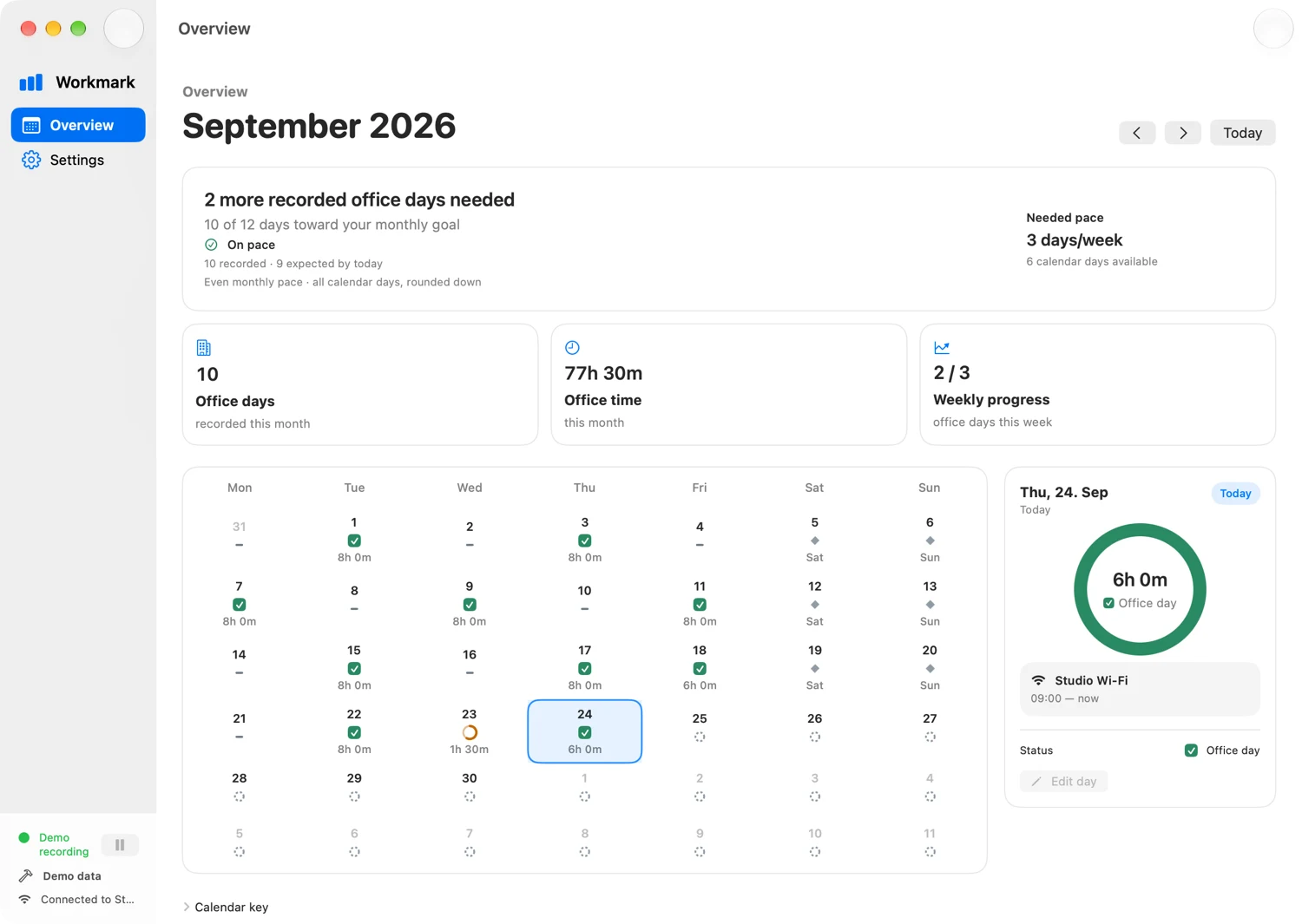
- Mon21No record
- Tue228h recorded
- Wed231h 30m recorded
- Thu246h recorded
- Fri25Not yet recorded
An illustrative week · sample data, not proof of attendance
The big picture. Without the guesswork.
See your recorded days, follow your own weekly and monthly goals, and know what remains. No spreadsheet ritual required.
See what makes a recordConnect to the office. Get on with your day.
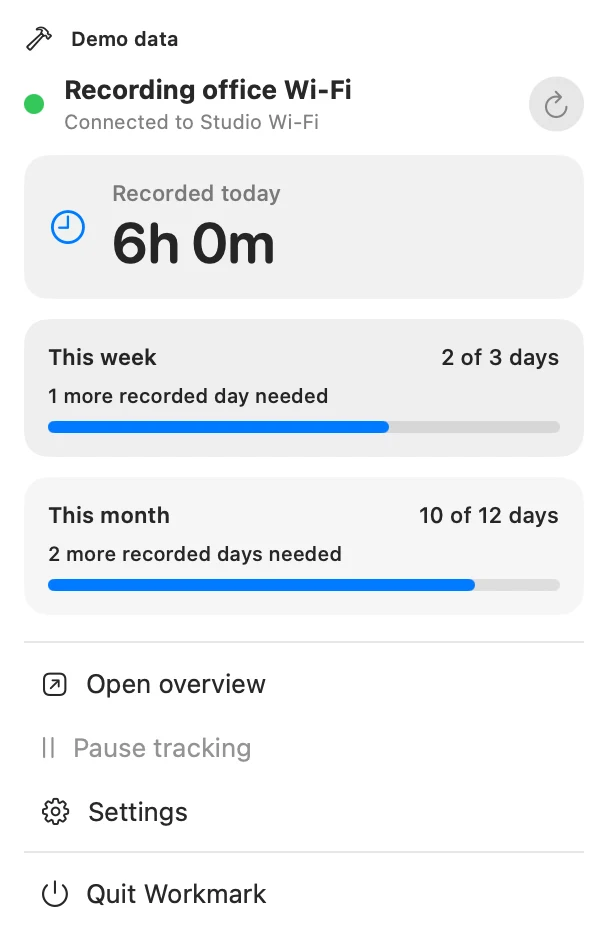
Choose your office Wi-Fi networks once. Workmark records while your Mac is connected, running, and awake. A quick look in the menu bar tells you where you stand.
What makes a record?
An explanation of the mechanism, not a live tracker.
Connection becomes recorded time.
Your Mac joins a chosen office network. Workmark starts a session and adds the observed time to your personal record.
- Chosen office Wi-Fi
- 6h 00m
Illustrative recorded total
Uncertainty stays a gap.
Sleep, unavailable permission, an unknown network, or quitting Workmark stops automatic recording. Missing time is not silently credited.
- Sleep or unavailable network
- —
No time credited during the gap
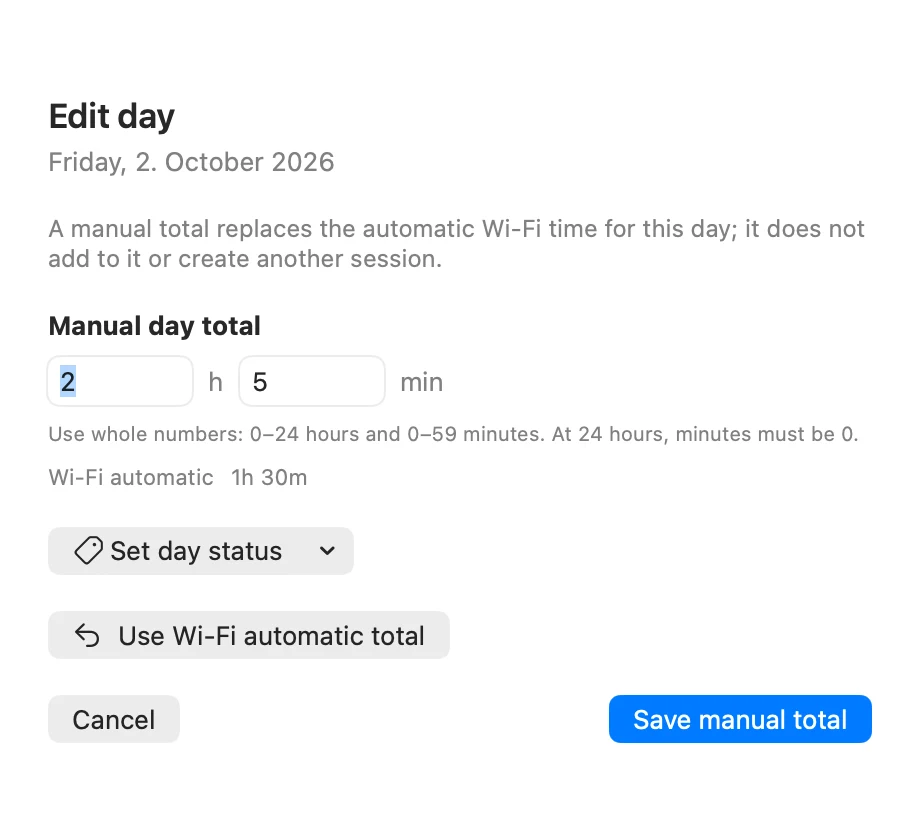
You can put the day right.
If the record missed part of your day, set a manual total. It replaces that day’s automatic total rather than adding another session.
- A correction you choose
- 7h 00m
Illustrative replacement total
A record, not the whole story.
A Mac on Wi-Fi is not proof that a person is in the office. When the automatic record does not match your day, make a correction. It is your record to keep useful.
Read the setup guideYour time. Your Mac. Nobody else’s dashboard.
No account. No app analytics. No employer reporting. Workmark stores your record locally on your Mac.
- No coordinates collected
- No Wi-Fi passwords stored
- No history of other networks
Before you mark your week.
Why does Workmark need Location Services?
macOS requires Location Services permission to read the current Wi-Fi network name. Workmark uses the name to match your chosen office networks; it does not collect or store coordinates.
Does it prove I was in the office?
No. It records your Mac’s association with an office Wi-Fi network, not your physical presence. Use it for personal goals, not attendance verification or employer-policy compliance.
Can I use more than one office network?
Yes. Add the office Wi-Fi names you want Workmark to recognize. Matching is exact, so different names must be added separately.
What happens when I close the window?
Workmark continues in the menu bar. Quitting the app or putting your Mac to sleep stops automatic recording.
When can I download it?
Workmark is coming soon to the Mac App Store. The listing may not be publicly available yet. It requires macOS 14 Sonoma or later.
Make room for a clearer week.
Personal office-time tracking. A small companion for your Mac.
For macOS 14 Sonoma or later